Thank you. I tend to get caught up in detail…maybe a drive for realism…asked Wendy about and she said to remember Form always first, then tone, then detail…where I tend to jump in and going back and forth a little soon.
19 December 2016
@pjcoulter3 Patty, I think your textures look very nice. I particularly enjoy the top branch in your group, and the rough part of the cut edge on your single branch. I think you could add some more dark tones in the overlaps on your group of branches. Nice work!
Thank you, Vern.
I was looking at the actual light source, but am beginning to understand that in Botanical drawing one must look if something works or not and adjust accordingly. I struggled with the shadows because i wanted one to be able to see texture underneath. I will go back and try that since these exercises are to learn from!
I went back to edit the image and put right side up and not on side. I pressed the edit button at the beginning of this comment block. Went to a different page but no place to edit. Maybe this button for editing text. Anyway to rotate image so it reads better?
20 December 2016
@pjcoulter3 There is a way to rotate the image; I went ahead and did it, since it is a little complicated. But if you’re interested: click “edit” and you’ll see that there are 2 tabs; one says “Details” and the other says “Image.” If you click the “Image” tab, a button appears at the bottom of the image that says “Modify Image.” If you click that button, you’ll have access to some simple editing tools (scale, crop, and rotate). Then click “Save.” It takes a minute or two to apply the edits. Hope this helps! 🙂

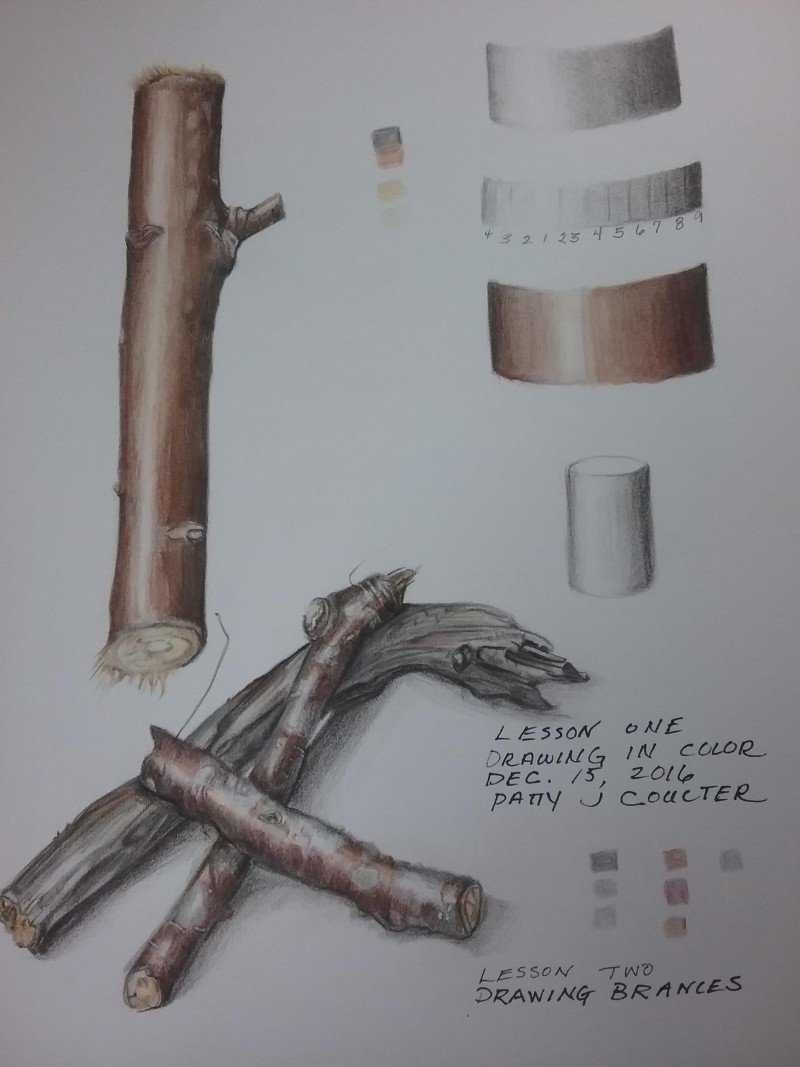
lovely detail in the various stick samples, Patty!
Thank you. I tend to get caught up in detail…maybe a drive for realism…asked Wendy about and she said to remember Form always first, then tone, then detail…where I tend to jump in and going back and forth a little soon.
@pjcoulter3 Patty, I think your textures look very nice. I particularly enjoy the top branch in your group, and the rough part of the cut edge on your single branch. I think you could add some more dark tones in the overlaps on your group of branches. Nice work!
Thank you, Vern.
I was looking at the actual light source, but am beginning to understand that in Botanical drawing one must look if something works or not and adjust accordingly. I struggled with the shadows because i wanted one to be able to see texture underneath. I will go back and try that since these exercises are to learn from!
I went back to edit the image and put right side up and not on side. I pressed the edit button at the beginning of this comment block. Went to a different page but no place to edit. Maybe this button for editing text. Anyway to rotate image so it reads better?
@pjcoulter3 There is a way to rotate the image; I went ahead and did it, since it is a little complicated. But if you’re interested: click “edit” and you’ll see that there are 2 tabs; one says “Details” and the other says “Image.” If you click the “Image” tab, a button appears at the bottom of the image that says “Modify Image.” If you click that button, you’ll have access to some simple editing tools (scale, crop, and rotate). Then click “Save.” It takes a minute or two to apply the edits. Hope this helps! 🙂